18 February 2015

Wordless Wednesday- Drive and Read CVC Words and Sentences- FREEBIE Included!

Wordless Wednesday- Drive and Read CVC Words and Sentences- FREEBIE Included!
Hosted by Miss DeCarbo at Sugar and Spice! I am not seeing her post for this week yet, many people on are Winter Break or having Snow Days. I completely understand and just want to say thanks for this great Linky Party idea. You can click the photo below to view the Linky Party from last week as well.
Check out Techie Turtle's post for this week- HERE


Letting the picture(s) say it all is new to me, but I will try it out. :)


Don't forget to visit the Miss DeCarbo at Sugar and Spice to see the other Wordless Wednesday Posts! 

Share:

17 February 2015

Snow Day Link Up- Clip Art FREEBIE!

Snow Day Link Up- Clip Art FREEBIE

Thanks to 21st Century Kindergarten for hosting this LINK UP! Click the pic above to get back to the original post with more Snow Day fun!

Here is a Snow Day FREEBIE! Enjoy these Snow Day Shacks! I would love for you to come back here and leave a comment about how you will or have used this FREEBIE. I truly enjoy seeing how my clip art and resources are being used. Thanks for leaving feedback in my TPT Store as well.


I will have more Snow fun coming soon this week. You may have a Snow Day, but I am on Winter Break and have plans to stay busy busy creating goodies for you!


Share:

Tech Tip Tuesday- Using Google Drive for Common Planning!

Tech Tip Tuesday- Using Google Drive for Common Planning!
Hosted by Techie Turtle Teacher


At my school we have Common Planning time. Each Tuesday afternoon the Kindergarten teachers meet in my classroom and we share ideas, tips, discuss SST, CFA data and plan for the following week (well we are usually two weeks ahead). For my team to use this time efficiently, we come prepared with ideas to share that relates to the standards we are teaching the following week. The absolute best thing I ever did for this was start using Google Drive!


Google Drive has made our lives so much easier! Everyone can type and edit the document at the same time. We can open the document from our home computers or at school and add our ideas for the upcoming planning session.

First know that everyone will need a gmail account. To access your Google Drive you need to sign into gmail and then press the "bingo button" (that's what my husband calls it) at the top right, basically the square with 9 squares within it. You can then select the green, yellow and blue triangle with the word "drive" under it.

I made a folder for Planning Ideas and then shared it with the others on my grade level. I made a table with subjects and standards for the following week. My team can view the table and add ideas before we meet. Here is a screen shot of the set up we use at this time. As you can see, we can add photos and links easily.

I cannot express how much my team loves using Google Drive to share and we don't have to take notes during the meeting because we can always refer back to the document. 

Something else we started doing at the meeting was while we discuss each idea from the planning ideas I type these ideas directly into a lesson plan in Google Drive as well. 

Each teacher can adjust the lesson plan later to their liking, but you have somewhere to start without having to start from scratch when you work on your lesson plans. All the standards and EQs are already there and all the ideas we shared are on the plan. Teachers just may want to do something on Thursday instead of Tuesday, read an alternative math text as a math opening, or add a movie clip they found later on to a specific part of the plan. 

I am telling you, common planning and lesson plans have never been easier to work on and keep everyone on the same page. 

Here is a screen shot of the lesson plans we leave with and then as I stated before each teacher can then access these plans on Google Drive and adapt them for their specific classroom need and liking.


I truly hope this was helpful. If not please ask any questions you have, and if you have a better way to use and plan with Google Drive I'd be very interested in hearing about it. 

I even use Google Drive for my shopping list also. I have a document that I share with my husband and we can both add items to it. If either of us goes to the store we can check the document and get the items needed without having the "list" from the front of the fridge. We each have the Google Drive and Docs app on our phone. The Doc I made looks like this, but you can make it however you would like. 


And just for fun-

Share:

16 February 2015

Movie Clip Monday- 2/16 Kid President

Thanks to Techie Turtle Teacher for hosting this Movie Clip Monday Linky Party!


This Kid President Pep Talk video is perfect for President's Day and just all around perfect for sharing in your classroom and inspiring your students to be the best person the can possibly be.


Every now and then we all need a Pep Talk! If you have not heard of Kid President or watched his many inspirational videos, I have to insist that you start with this one. You and your students will immediately be hooked and he will become your best friend. A lot like when you read the first Pete the Cat book to your students and they become excited each time you read a new book featuring Pete the Cat.

Kid President is a true role model even though he is young himself. Students will feel that they can make a difference in the world starting now!


There is even a video with Kid President sending Barack Obama a message, perfect for this week!


After sending the message, a couple of months later he meets The President!


After viewing one or all of these videos:
1. Have students write about how the Pep Talk has inspired them to change.
2. Have students write a script of questions they have for The President and make a video.
3.  Have students write a script of questions they have for Kid President and make a video.


I made Character Education Awards to give out each week to students. The award has a Kid President Quote at the bottom.

You can grab these for free HERE


I also have End of the Year Awards with Kid President and Roald Dahl Quotes that you may want to put on your wish list for the End of the Year. (Yes, I know it is February...) HERE


You can join the Movie Clip Monday Linky Party and view the other videos for the week HERE


Share:

Markdown Monday! (Feb. 16th-19th)

Markdown Monday! Feb. 16th-19th The following 2 products will be 20% off this week. Grab them up while you can!
St. Patrick's Day Clip Art HERE
This set includes color as well as black and white images. 

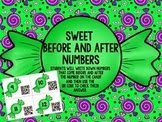
Sweet Before and After Sequencing Numbers HERE

Great way to incorporate technology into your math stations. If the number on the candy is 9 then the QR Code will read 8 9 10

Check out the other Monday Markdowns at the LINKY Party HERE


Share:

15 February 2015

Clip Art GIVEAWAY!

Visit my Facebook Page HERE to enter my Clip Art Giveaway for the following clip art sets. I would truly appreciate it if you would share this giveaway with any friends, colleagues, TPT Sellers! The more entries we have the more sets I will giveaway.


Share:

Valentine Day Monster Boxes!

For Valentine's Day my class made these Monster Boxes!
We had so much fun making them and everyone commented on how cute they were. My students said they were going to keep them forever and save birthday cards and basically anything important inside. The boxes are an assortment of sizes and shapes. because I told them to bring in any box from home for us to use. I like how they are not uniform and exactly the same, it matches their little personalities!


Share:
BRANDING + BLOG DESIGN BY LAUGH EAT LEARN